Overview
We’ve improved how form, survey, and quiz submissions are viewed, downloaded, and shared. This update introduces cleaner PDF layouts, more control over PDF attachments in notifications, and UI improvements across submission settings. Quiz results can now also be shared via email as a PDF.
What’s New
1. New Submission Layout (Forms)
- Updated submission layout for improved readability and consistency.
- Optimized for both on-screen viewing and PDF generation.
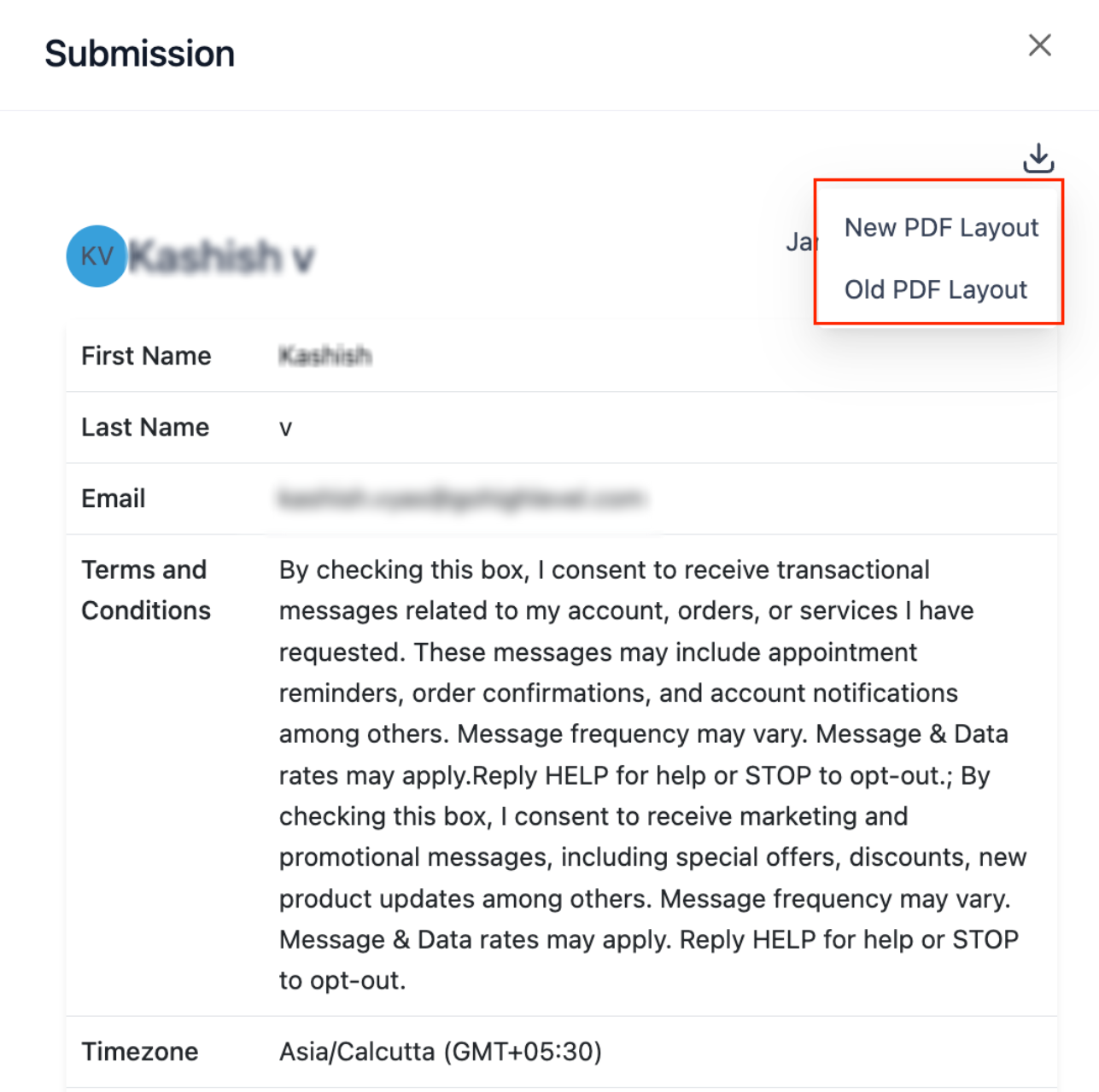
2. PDF Download Options (New vs Legacy)
- Added a dropdown selector instead of a tooltip.
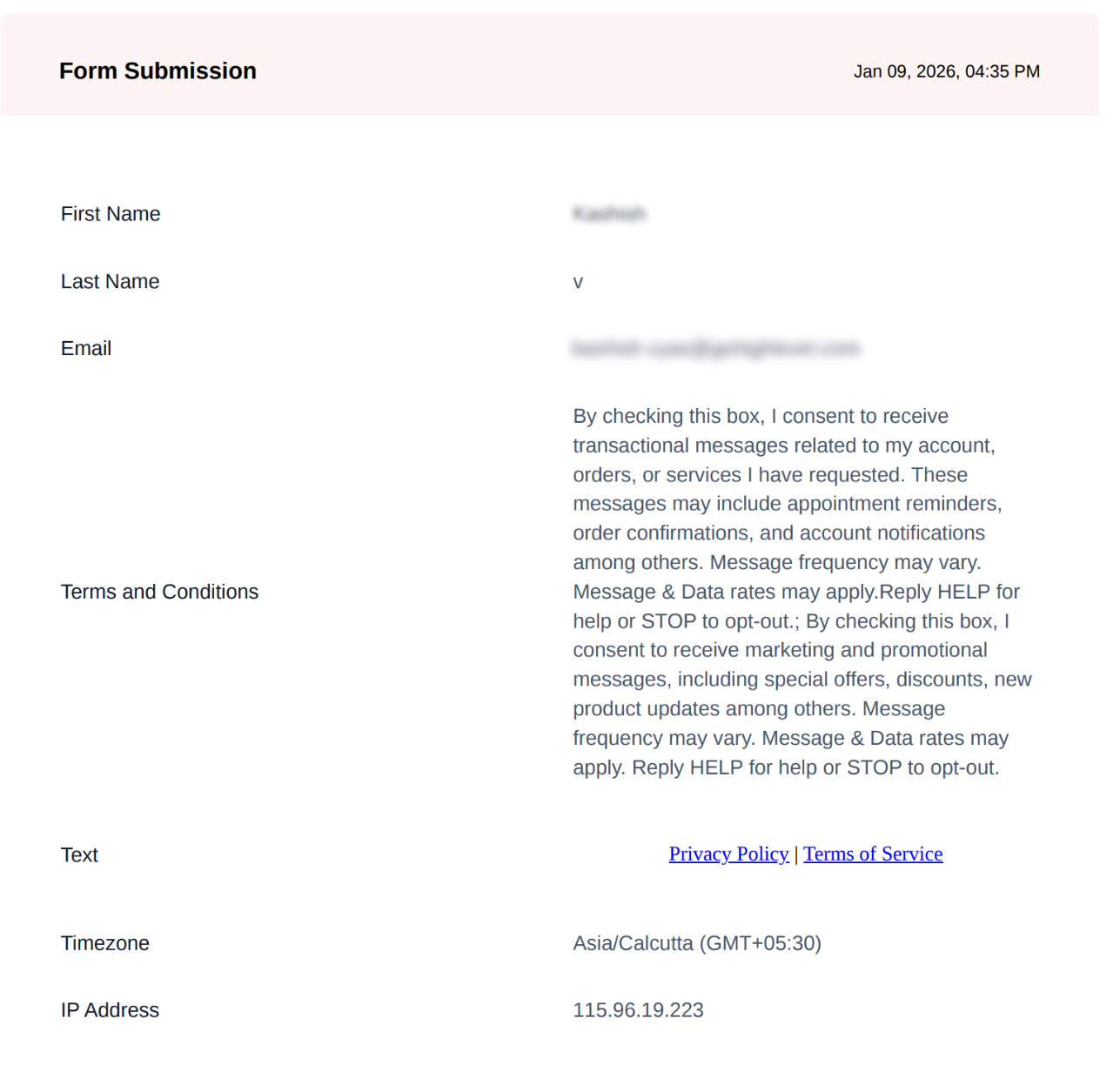
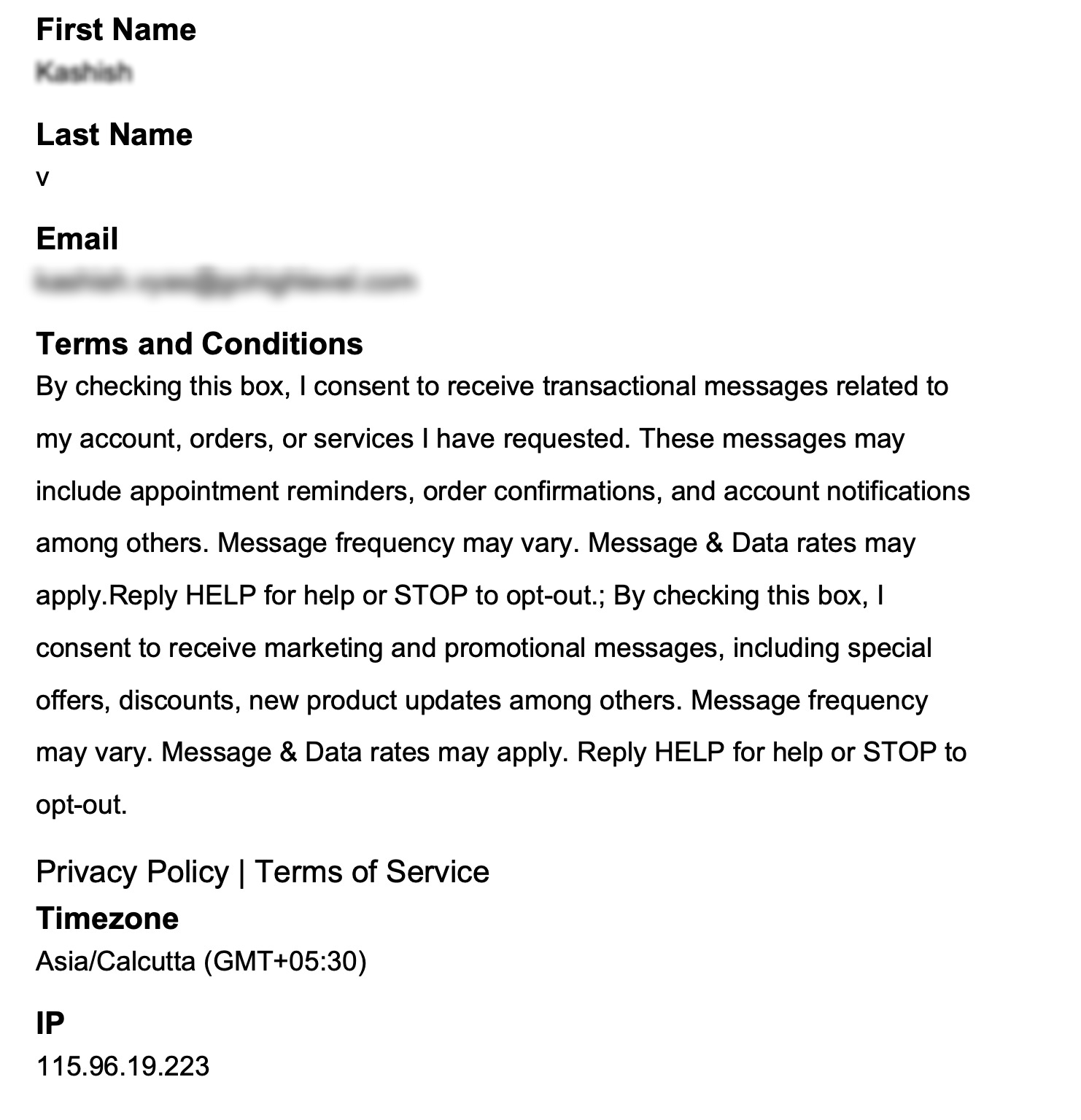
- Users can now choose between: New PDF layout (improved formatting) or Legacy PDF layout (existing format)
- Available directly from submission views.
New Format:
Old Format:
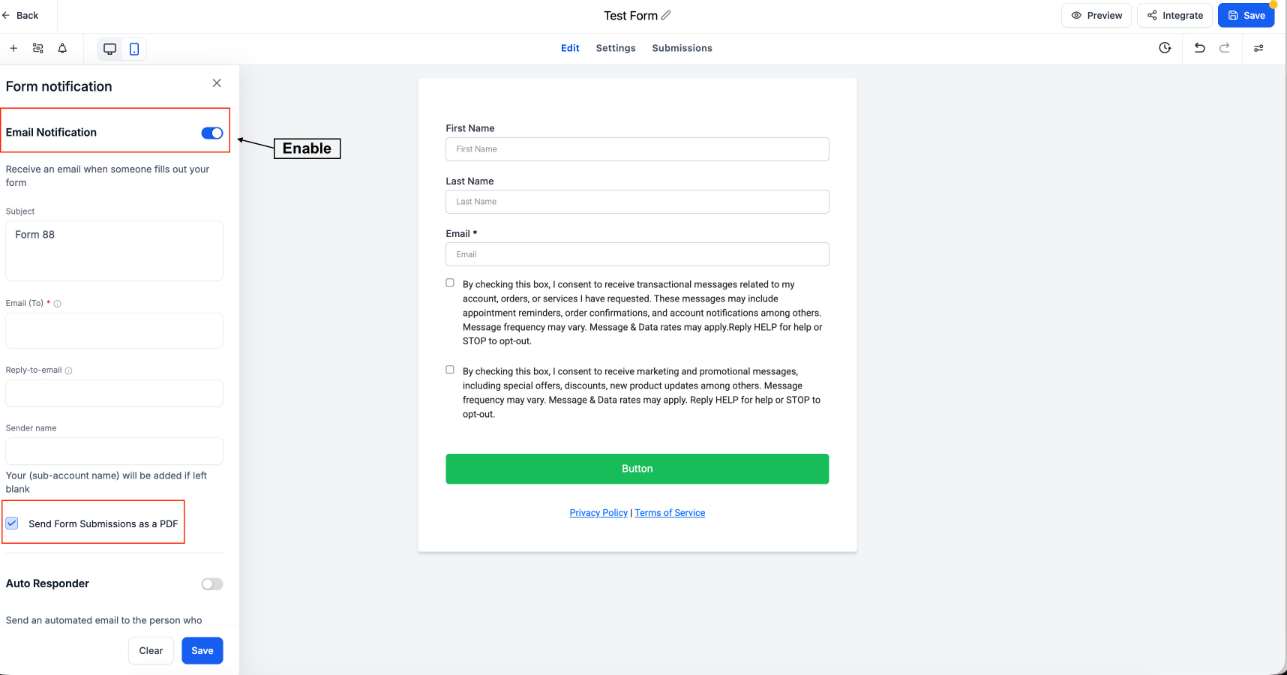
3. Email Notification: PDF Attachments
- New “Send attachment” option added to notification settings.
- When enabled: Submission details are automatically generated as a PDF
- PDF is attached to notification emails
- Works for forms, surveys, and quizzes.
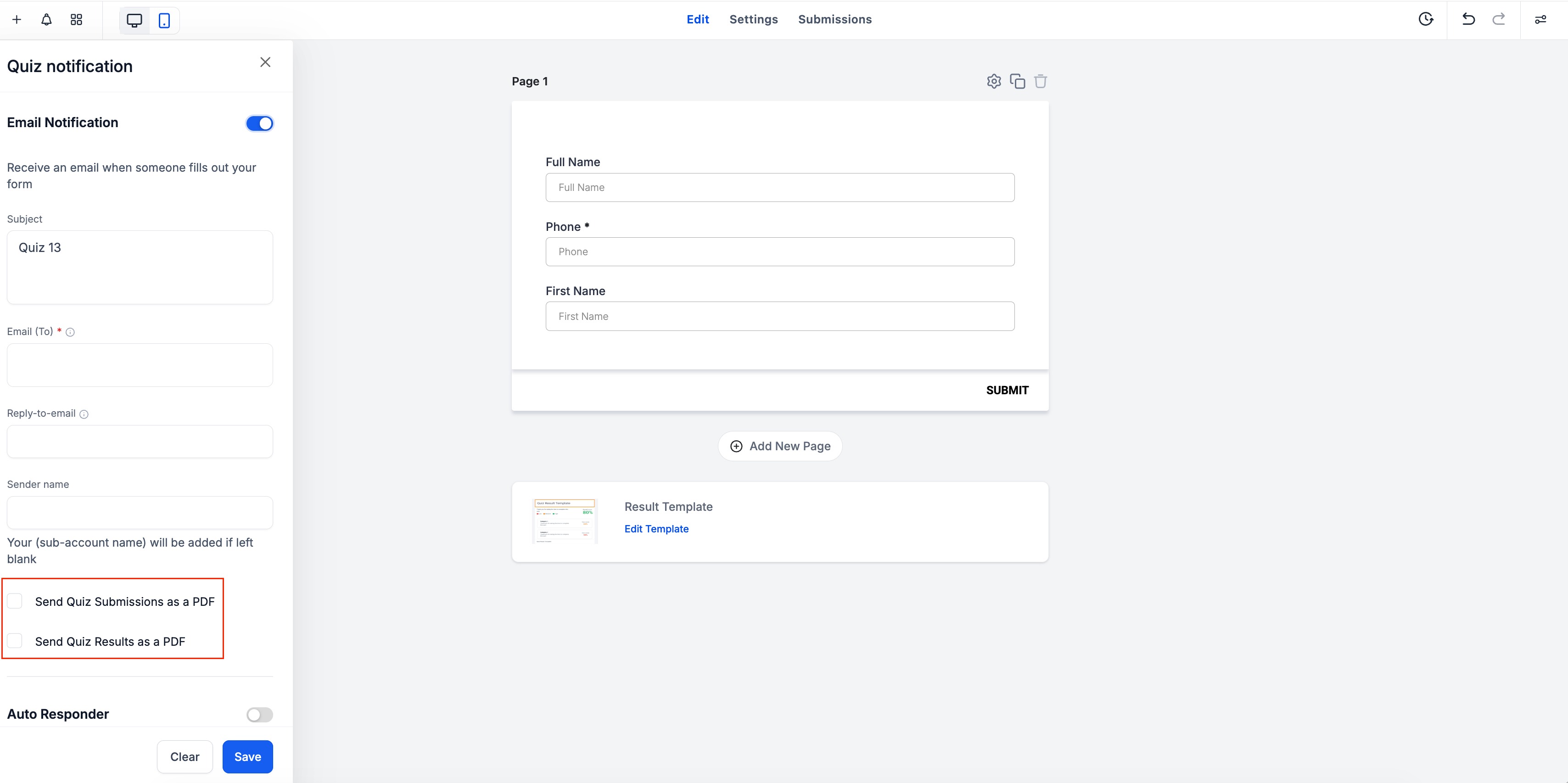
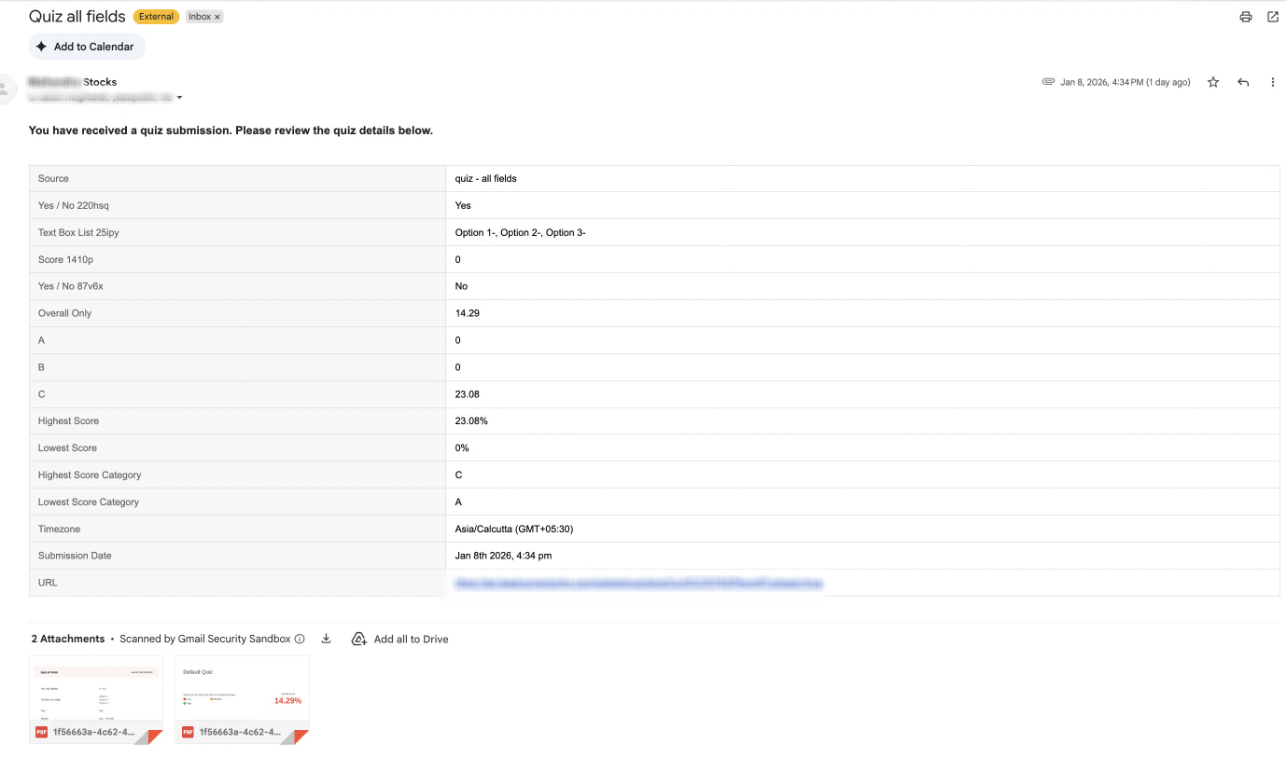
- Quiz results can now also be shared via email as a PDF. Quiz notifications now support two distinct PDF attachment options: Send Quiz Submissions as a PDF and Send Quiz Results as a PDF
Forms:
Quizzes:
What the Email Will Look Like?
Why This Matters
- Automatically sends PDFs with submission emails
- Cleaner layouts for easier reading and sharing
- More control over what gets sent (submissions, results, or both)
Was this article helpful?
That’s Great!
Thank you for your feedback
Sorry! We couldn't be helpful
Thank you for your feedback
Feedback sent
We appreciate your effort and will try to fix the article