What's New?
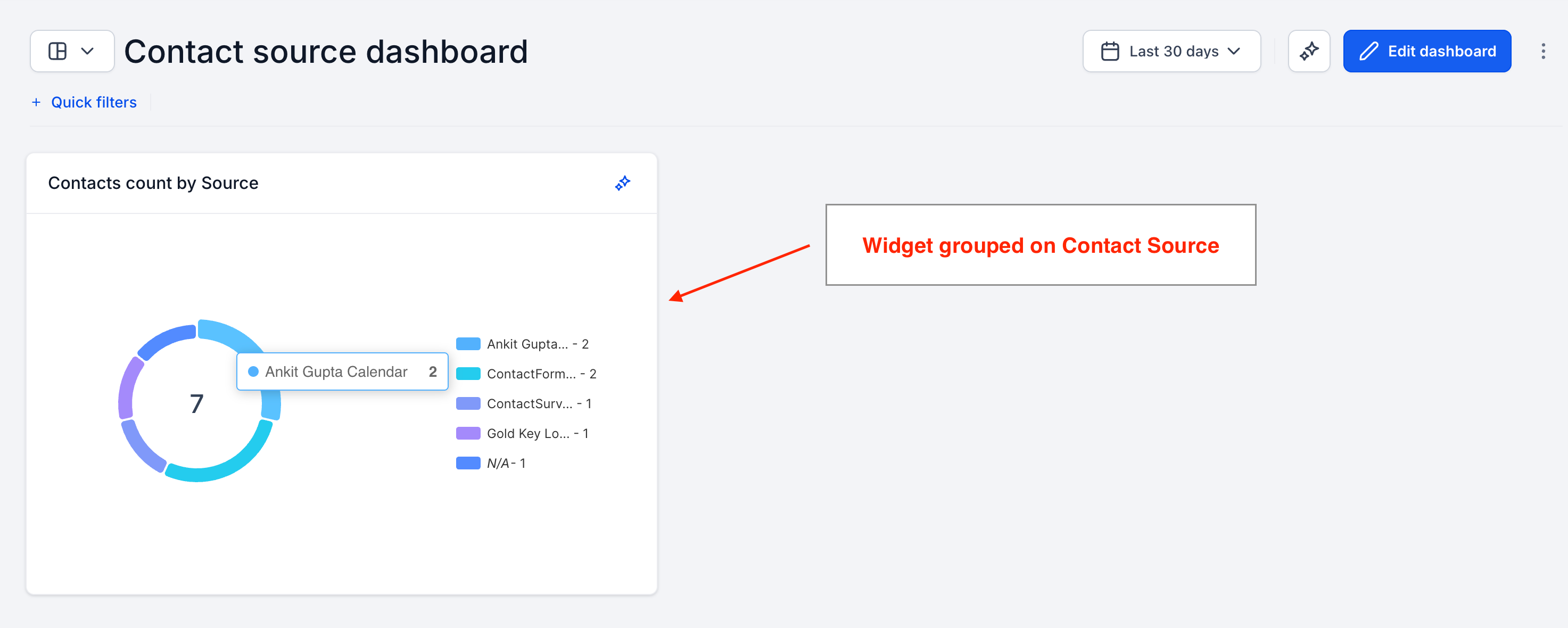
You can now group Contacts widgets by Source in your dashboards and reports.
Break down contact counts by where they came from — see at a glance which sources bring in the most contacts.
The same Source grouping you already use for Opportunities is now available for Contacts too.
How It Works:
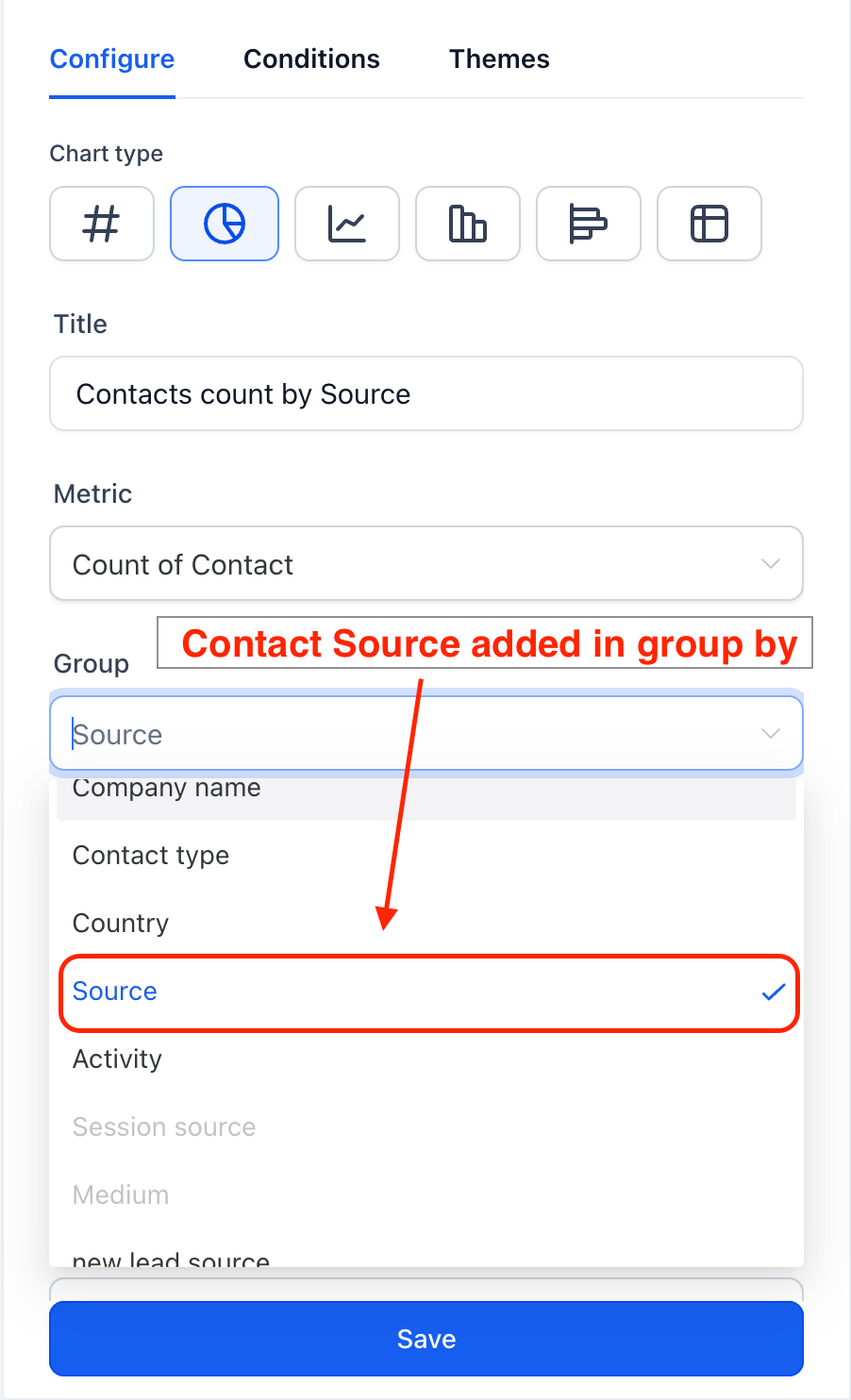
Open a dashboard and add or edit a Contacts widget.
In the widget settings, open the Group By dropdown.
Select Source to bucket your contacts by their source.
Why It Matters:
Channel visibility — instantly see which sources are generating the most contacts.
Consistent experience — grouping by Source now works the same way across Contacts and Opportunities, so there's no guesswork switching between modules.
Better lead-source decisions — use the breakdown to focus effort on the channels that perform.
Was this article helpful?
That’s Great!
Thank you for your feedback
Sorry! We couldn't be helpful
Thank you for your feedback
Feedback sent
We appreciate your effort and will try to fix the article