Sync only the contacts you want, exactly where they belong.
Connecting Xero to the platform now gives you full control over which contacts sync in — and where they land. Stop unwanted vendors and suppliers from cluttering your CRM.
The Challenge
When you connected Xero, every active contact came in automatically — no filtering, no choice. Vendors, suppliers, and contacts you never needed flooded your contact list. Worse, suppliers (people you pay) landed in the same list as your actual customers and leads. Your CRM became harder to trust and harder to work with.
Our Solution
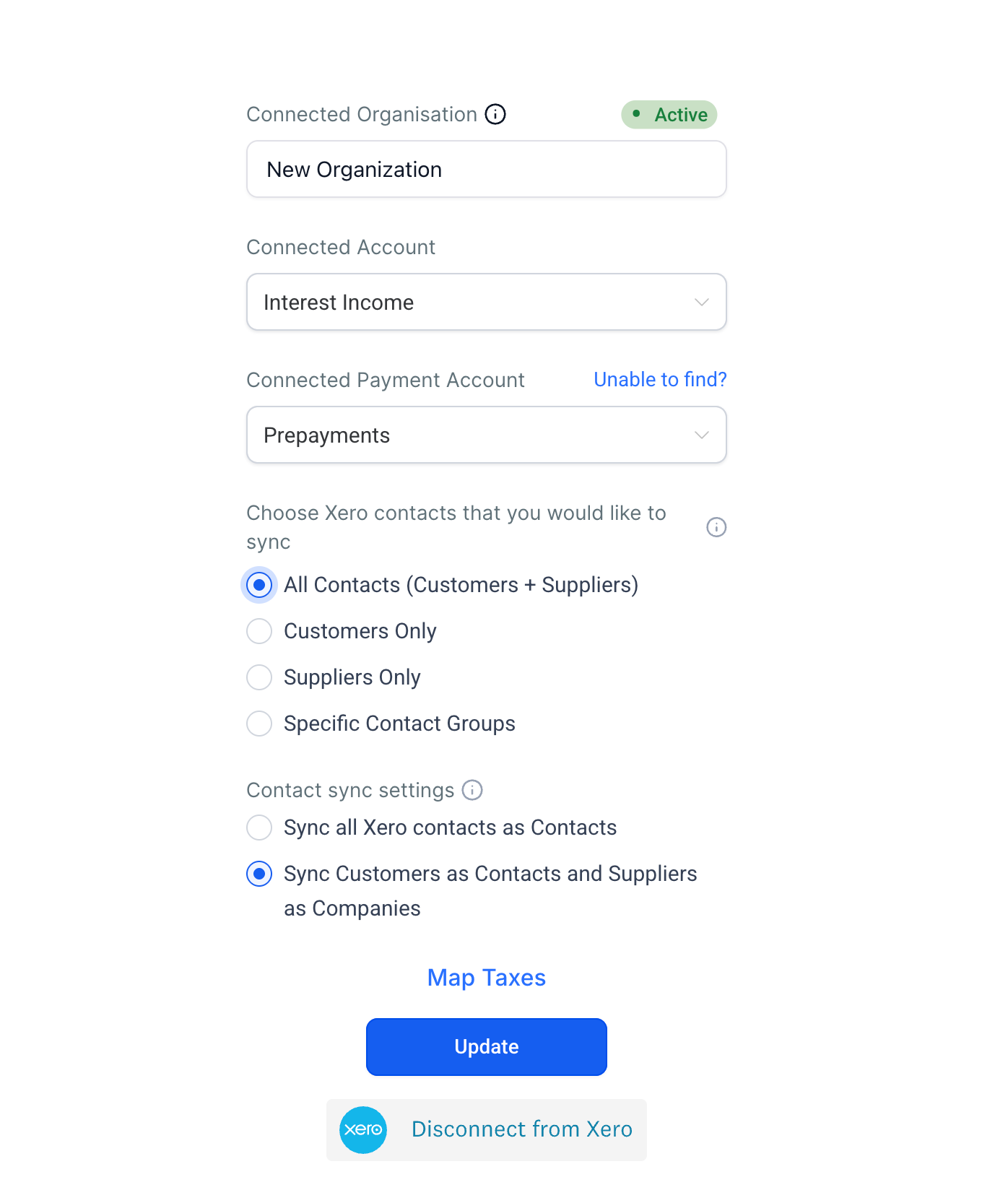
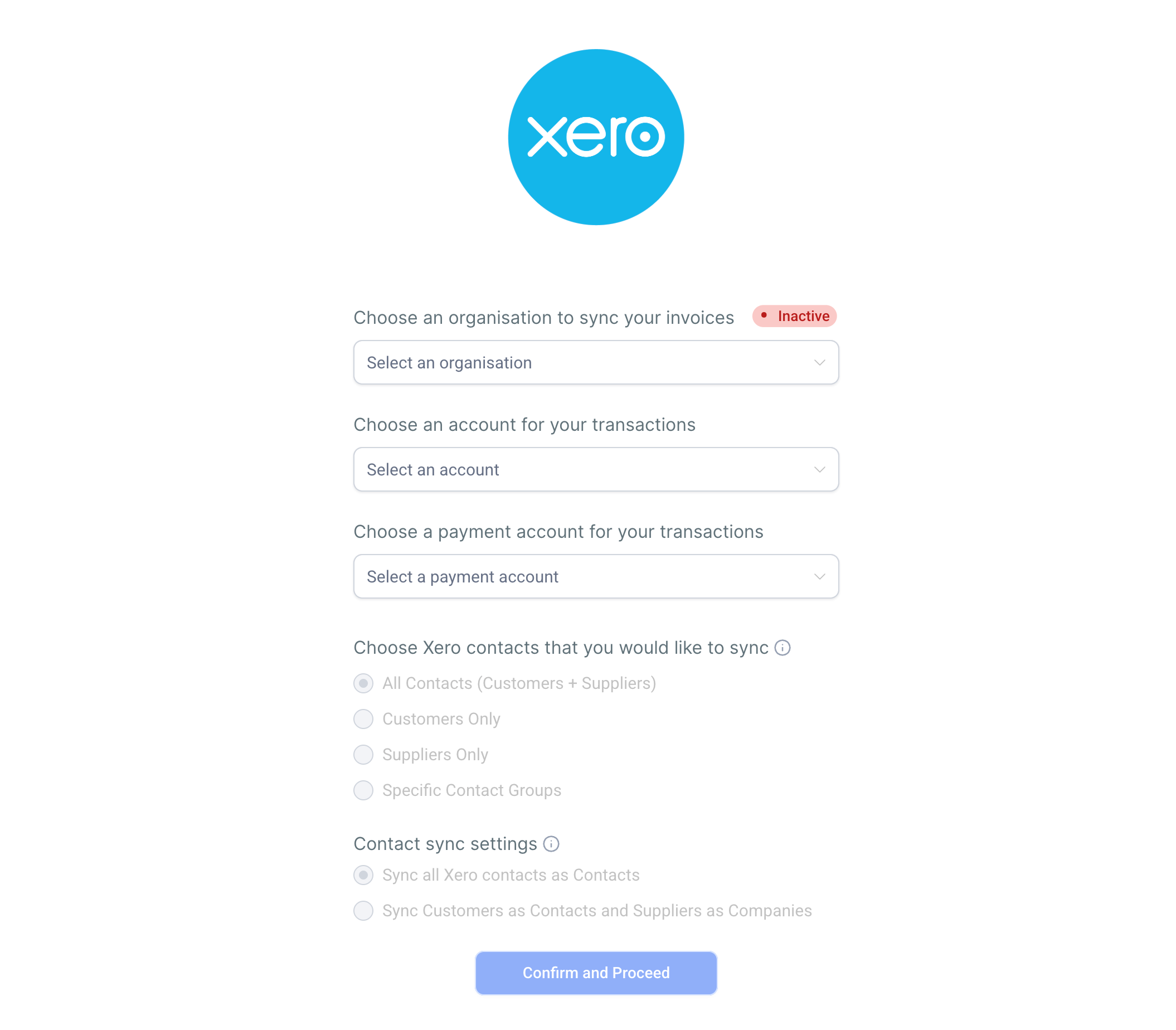
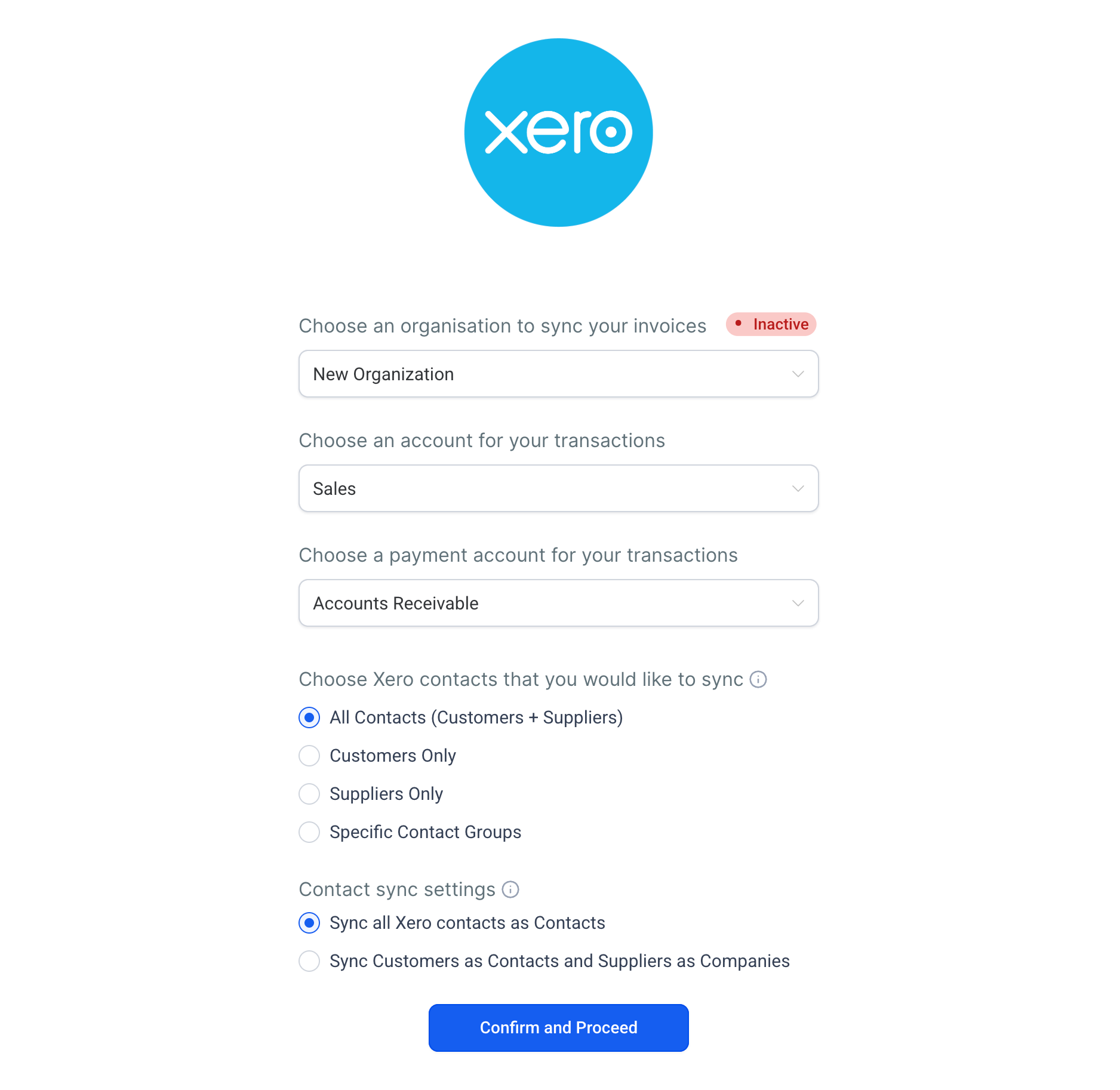
Two new settings on your Xero connection screen give you precise control over your contact sync. Choose exactly which contacts come into the platform. Then decide where suppliers go — mixed in with contacts, or kept separate as business records. Your existing setup is untouched unless you opt in,
How This Supercharges Your Business
Keep your CRM clean: Pull in only the contacts you actually need — customers, a specific group, or everyone. Your call.
Separate suppliers from leads: Stop suppliers from appearing alongside your customers. Route them to business records instead.
Work with data you trust: A cleaner contact list means faster outreach, better segmentation, and fewer filtering headaches.
Zero disruption to existing setups: Both settings default to the original behavior. Nothing changes unless you actively choose to.
How to Get Started
Navigate to Payments → Invoices & Estimates → Accounting Sync.
Click Manage on your connected Xero account.
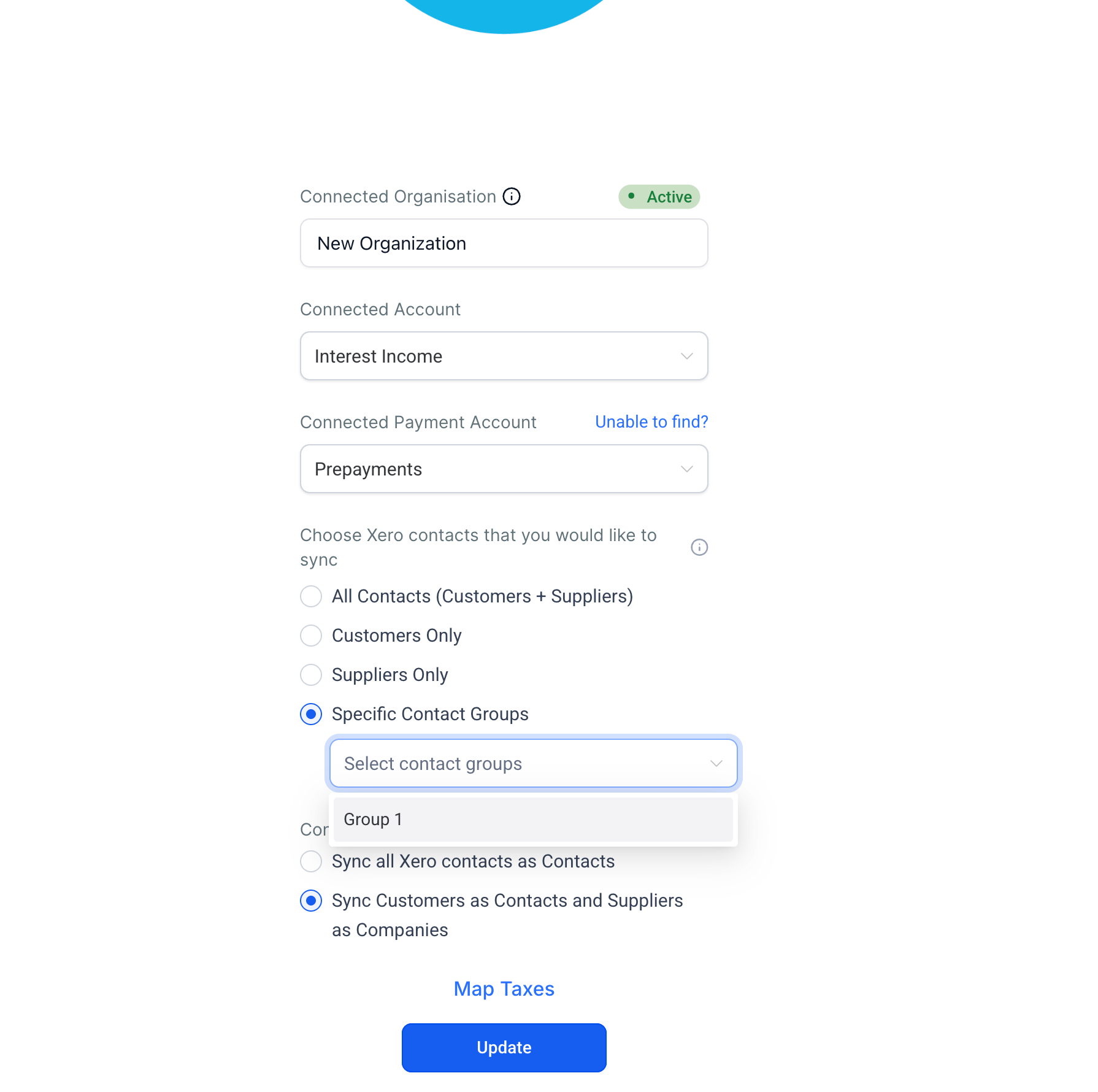
Set "Which contacts to sync" — choose from All Contacts, Only Customers, Only Suppliers, or one or more specific Xero contact groups.
Set "How suppliers are handled" — choose All to Contacts (default) or Split by type to route suppliers to business records.
Save your preferences. Your next sync will reflect the new settings.
Good to Know
Available on web only
Applies to Xero only — QuickBooks and Wave contact sync settings are not yet configurable
Both settings default to the original behavior — existing integrations are unaffected until you opt in
"Split by type" routes suppliers to business records, not the standard contact list
Contact group filtering requires existing Xero contact groups to be set up on the Xero side first
Was this article helpful?
That’s Great!
Thank you for your feedback
Sorry! We couldn't be helpful
Thank you for your feedback
Feedback sent
We appreciate your effort and will try to fix the article